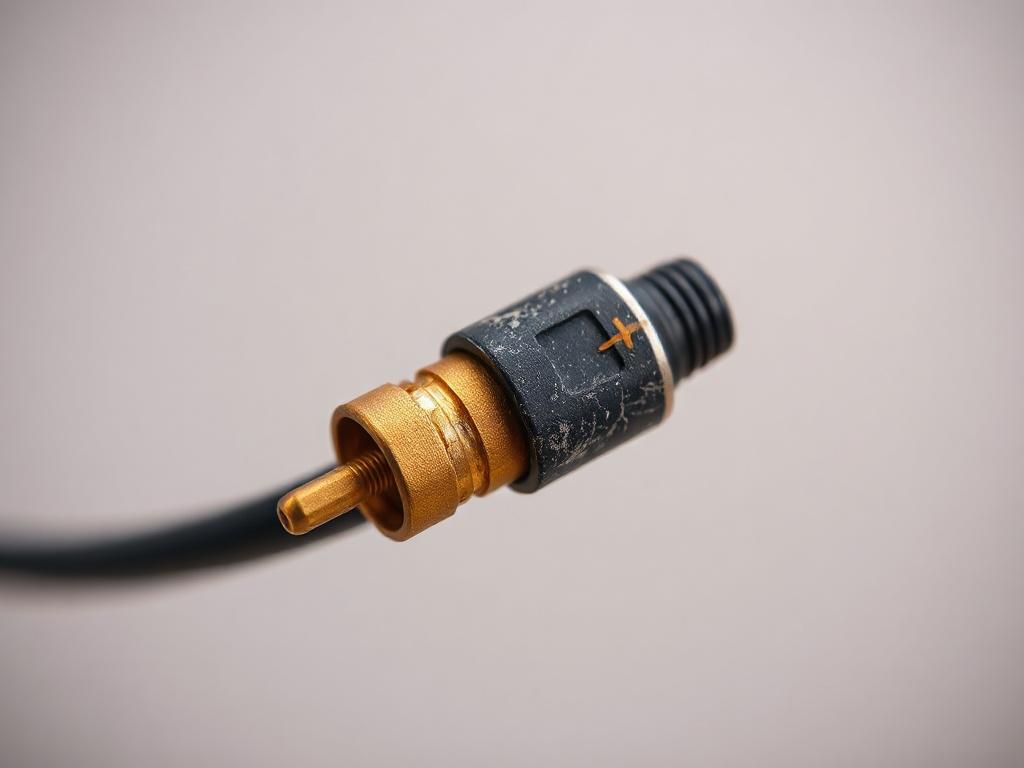
In the demanding world of professional audio visual installations, Audio Visual Cable failures represent the single most common cause of system downtime, service calls, and client dissatisfaction across corporate environments, educational facilities, broadcast studios, and entertainment venues in May 2026. From intermittent HDMI handshakes plaguing conference room presentations to catastrophic fiber breaks disrupting campus-wide AV-over-IP networks, cable-related issues account for approximately 60-75% of all AV system problems reported to integrators and technical support teams. Choosing the best Audio Visual Cable during initial installation significantly reduces these troubleshooting incidents, but even premium cables in well-designed systems eventually require diagnostic expertise and systematic troubleshooting methodologies to maintain optimal performance.
The most common AV cable problems include: signal loss or degradation from distance limitations, damaged connectors, or poor terminations; HDMI/HDCP handshake failures causing blank displays or intermittent video; electromagnetic interference (EMI) creating video artifacts or audio hum; ground loops in audio systems producing 60Hz buzz; network congestion in AV-over-IP installations causing frame drops; physical cable damage from improper installation or environmental stress; and connector oxidation degrading signal quality over time. Professional AV integrators employ systematic diagnostic approaches, specialized test equipment, and increasingly AI-powered monitoring tools to quickly identify root causes and implement permanent solutions.
This comprehensive guide provides AV professionals with practical troubleshooting techniques, diagnostic workflows, and preventive strategies based on real-world experience from thousands of commercial installations throughout 2026.
Key Takeaways
- 60-75% of AV system failures trace back to cable-related issues including physical damage, connector problems, EMI interference, and distance limitations
- Systematic troubleshooting using isolation techniques and cable testing equipment identifies root causes faster than trial-and-error component replacement
- HDMI handshake failures represent the #1 support call for corporate AV systems, typically resolved through cable replacement, EDID management, or firmware updates
- Professional cable testers (Fluke DSX, Murideo HDMI analyzers, OTDRs) reduce diagnostic time by 70-80% compared to visual inspection alone
- Preventive maintenance including connector cleaning, cable stress relief inspection, and signal quality monitoring prevents 80% of cable failures
- Ground loop hum in audio systems requires understanding electrical infrastructure and implementing proper grounding strategies, not just cable replacement
- AV-over-IP troubleshooting demands network expertise analyzing bandwidth utilization, multicast routing, and QoS configuration beyond traditional AV skills
- AI-powered monitoring platforms (Crestron XiO, Q-SYS Reflect, Extron GlobalViewer) provide predictive alerts identifying degrading cables before complete failure
- Documentation and labeling during installation reduces troubleshooting time by 60% when problems emerge months or years later
- Cable quality matters: Premium certified cables have failure rates of
What Are AV Cables?
Audio Visual Cables are specialized transmission media engineered to transport electrical signals or optical light carrying video content, audio data, control commands, and sometimes electrical power between AV equipment in commercial installations. Unlike general-purpose wiring, professional AV cables incorporate precise impedance matching, electromagnetic shielding, signal conditioning, and environmental protection ensuring reliable performance in demanding applications.
Cable Types in Professional AV
Digital Video Cables:
- HDMI: Consumer/commercial standard supporting 8K@60Hz with HDMI 2.1
- DisplayPort: Computer displays with daisy-chaining capability
- SDI (Serial Digital Interface): Broadcast-grade uncompressed video
Network Cables:
- Cat6a/Cat7: 10 Gigabit Ethernet for AV-over-IP and HDBaseT
- Fiber optic: Multi-kilometer transmission with unlimited bandwidth
Audio Cables:
- XLR: Balanced professional audio with noise rejection
- Speaker cables: Amplified audio to passive speakers
- Dante/AVB: Network-based audio distribution
Control Cables:
- RS-232/RS-485: Serial control protocols
- IR/RF: Infrared and radio frequency control
Most Common AV Cable Problems in AV Installations
Problem 1: HDMI Handshake and HDCP Failures
Frequency: 35-40% of all AV support calls
Symptoms:
- Blank displays showing "No Signal" message
- Pink/purple screen or snow/static
- Intermittent video that works briefly then fails
- Audio without video or vice versa
- Display flickers when switching sources
Root Causes:
- HDCP (High-bandwidth Digital Content Protection) version mismatch between source and display
- Cable exceeds distance specification (passive HDMI >7m for HDMI 2.1)
- Poor quality cables lacking adequate shielding or bandwidth rating
- Outdated firmware on source devices, displays, or switches
- Multiple HDMI devices in daisy chain causing EDID confusion
- Dirty or damaged connectors
Troubleshooting Steps:
1. Verify Cable Specifications:
- Check cable length vs. manufacturer distance rating
- Confirm bandwidth certification (Certified Premium HDMI for 18 Gbps+)
- Test with known-good cable at shorter distance
2. Power Cycle Sequence:
- Power OFF all devices (sources, displays, switchers)
- Disconnect all HDMI cables
- Wait 2 minutes for HDCP keys to reset
- Reconnect cables
- Power ON in sequence: display first, then intermediate equipment, finally source
3. Firmware Updates:
- Update display firmware to latest version
- Update source device (laptop, media player)
- Update HDMI switches/extenders
4. EDID Management:
- Use HDMI analyzer (Murideo Fresco) to capture display EDID
- Deploy EDID emulator/manager forcing consistent EDID
- Configure manual resolution on source instead of auto-detect
5. Cable Replacement:
- Replace with Certified Premium HDMI or active HDMI for long runs
- Consider HDBaseT extender for distances >15m
Prevention:
- Specify Certified cables from reputable manufacturers (Kramer, Extron, Crestron)
- Use active HDMI cables for runs approaching specification limits
- Deploy HDMI extenders with EDID management for complex systems
- Keep firmware updated on all HDMI equipment
Problem 2: Signal Loss and Video Artifacts
Frequency: 25-30% of cable-related issues
Symptoms:
- Sparkles or white dots in video image
- Color banding or incorrect colors
- Screen tearing or horizontal lines
- Complete signal dropout at random intervals
- Resolution limitation below display capability
Root Causes:
- Cable distance exceeds passive specification
- Electromagnetic interference (EMI) from power cables, fluorescent lighting, motors
- Damaged cable from excessive bending, pinching, crushing
- Poor connector termination causing impedance mismatch
- Insufficient cable bandwidth for selected resolution/refresh rate
Troubleshooting Steps:
1. Distance Verification:
- Measure actual cable length including vertical rises and routing
- Compare to manufacturer maximum distance at current resolution
- Test shorter cable to isolate distance as factor
2. EMI Assessment:
- Identify EMI sources near cable route (power cables, lighting, equipment)
- Test with shielded cable or relocate cable away from EMI sources
- Use EMI meter to measure field strength along cable path
3. Cable Quality Testing:
- Visually inspect for physical damage (kinks, crushing, jacket damage)
- Test cable end-to-end with appropriate equipment:
- HDMI: Murideo Fresco or AJA FS-HDR
- Cat6a: Fluke DSX-5000/8000
- SDI: Leader LV5600 or Tektronix WFM
- Fiber: OTDR and optical power meter
4. Resolution/Bandwidth Adjustment:
- Temporarily reduce resolution to 1080p to test if bandwidth-related
- Check source output settings match cable capability
- Verify cable rated for required bandwidth (18 Gbps for 4K@60Hz)
5. Cable Replacement:
- Install higher-quality cable with better shielding
- Use active electronics (HDBaseT, fiber extenders) for long distances
- Deploy shielded Cat6a (S/FTP) in high-EMI environments
Prevention:
- Calculate cable distances accurately during design phase with 20% contingency
- Use cable certification testing after installation before wall closure
- Maintain 300mm separation between AV cables and power cables
- Specify plenum-rated shielded cables for commercial installations
Problem 3: Ground Loop Hum in Audio Systems
Frequency: 15-20% of audio system issues
Symptoms:
- 60Hz hum or buzz in audio output (50Hz in Europe/Asia)
- Hum intensity changes with equipment on/off or dimmer settings
- Buzzing audible in speakers even with no signal
Root Causes:
- Multiple ground paths between interconnected equipment creating current loops
- Equipment on different electrical circuits with voltage potential differences
- Unbalanced audio connections susceptible to induced interference
- Improper cable shielding or shield grounding
- Phantom power issues with incompatible microphones
Troubleshooting Steps:
1. Isolate Ground Loop:
- Disconnect equipment one piece at a time to identify which connection introduces hum
- Use ground lift adapter (temporarily, for testing only) to confirm ground loop
- Check if hum disappears with devices unplugged from AC power
2. Implement Proper Grounding:
- Ensure all audio equipment grounded at single point (typically mixer or rack ground bar)
- Verify electrical outlets have proper ground using outlet tester
- Check for voltage potential between equipment grounds using multimeter
3. Convert to Balanced Connections:
- Replace unbalanced RCA connections with balanced XLR where possible
- Use direct boxes (DI) to convert unbalanced signals to balanced
- Ensure XLR cables wired correctly: Pin 1 ground, Pin 2 hot (+), Pin 3 cold (-)
4. Install Isolation Transformers:
- Deploy audio isolation transformers (Jensen, Radial) on problem connections
- Use ground loop isolators on persistent ground loops
- Install power conditioners with isolation transformers for equipment
5. Phantom Power Verification:
- Confirm microphones and preamps compatible with 48V phantom power
- Test with phantom power off to see if hum disappears
- Use inline phantom power blockers on equipment that doesn't require it
Prevention:
- Design star grounding topology with single ground reference
- Use balanced audio connections (XLR) throughout professional installations
- Specify separate electrical circuits for audio equipment when possible
- Install isolated ground (IG) outlets for sensitive audio equipment
- Document grounding scheme in as-built drawings
Problem 4: Network Congestion in AV-over-IP Systems
Frequency: Growing issue (10-15% and increasing with AV-over-IP adoption)
Symptoms:
- Video compression artifacts or pixelation
- Frame drops or stuttering motion
- Audio/video sync issues
- Complete stream dropouts
- Slow switching between sources
Root Causes:
- Insufficient network bandwidth for number of streams
- Improper VLAN configuration mixing AV traffic with data traffic
- Missing or incorrect QoS (Quality of Service) settings
- Multicast routing errors or IGMP snooping not enabled
- Switch backplane insufficient for traffic load
- Packet loss from network congestion
Troubleshooting Steps:
1. Network Utilization Analysis:
- Use network monitoring tools (Wireshark, PRTG, SolarWinds) to measure bandwidth consumption
- Calculate theoretical bandwidth: Each 4K stream = 25-100 Mbps depending on codec
- Verify switch capacity adequate for simultaneous streams
2. VLAN Configuration:
- Confirm AV traffic on dedicated VLAN separate from corporate data
- Check VLAN tagging consistent across all switches
- Verify VLAN spanning correct between distribution and access switches
3. QoS Configuration:
- Enable 802.1p or DSCP prioritization on all switches
- Set strict priority for AV streams over data traffic
- Verify QoS policies applied to correct VLANs/ports
4. Multicast Optimization:
- Enable IGMP snooping on all switches (prevents multicast flooding)
- Configure IGMP querier on core switch
- Set fast leave for rapid stream changes
- Test multicast routing between subnets if applicable
5. Infrastructure Upgrade:
- Upgrade 1 Gigabit switches to 10 Gigabit for high-density 4K
- Replace unmanaged switches with managed Layer 3 switches
- Implement link aggregation (LACP) on uplinks
Prevention:
- Design dedicated 10 Gigabit AV network separate from data
- Specify enterprise-grade managed switches (Cisco, Arista, Netgear M4300)
- Calculate bandwidth requirements with 30% overhead during design
- Document network configuration including VLANs, QoS, multicast settings
- Perform stress testing with full stream load before client handover
Problem 5: Physical Cable Damage
Frequency: 10-15% of cable failures
Symptoms:
- Complete signal loss or severe degradation
- Intermittent connection that fails with cable movement
- Visible damage to cable jacket or connectors
Root Causes:
- Excessive bend radius violating manufacturer specifications (typically 4-8x cable diameter)
- Cable crushing from furniture, doors, cable trays
- Connector strain from cable weight without proper strain relief
- Pulling tension exceeded during installation
- Rodent damage in accessible spaces
- UV degradation on outdoor cables without proper jacketing
Troubleshooting Steps:
1. Visual Inspection:
- Examine entire cable length for visible damage (kinks, flat spots, jacket tears)
- Check connector alignment and physical integrity
- Look for sharp bends violating minimum bend radius
2. Continuity and Resistance Testing:
- Test conductor continuity using multimeter or cable tester
- Measure resistance on copper cables (should be
- Check for short circuits between conductors
3. Advanced Cable Testing:
- TDR (Time Domain Reflectometry): Identifies exact location of cable breaks or impedance changes
- OTDR for fiber optics: Pinpoints fiber breaks or excessive loss
- Cable certifier for Cat6a: Tests all parameters per TIA-568
4. Tactical Repairs:
- Replace damaged section using barrel connectors (temporary solution)
- Install junction box at damage point for permanent splice
- Complete cable replacement for critical applications
Prevention:
- Use cable protection (split loom, raceway) in high-traffic areas
- Install strain relief at all termination points
- Maintain minimum bend radius per manufacturer specs
- Use armored cables or conduit in vulnerable locations
- Specify UV-resistant jacketing for outdoor installations
- Include service loops (1-2m extra) at each endpoint for future adjustments
Problem 6: Connector Oxidation and Corrosion
Frequency: 8-12% of long-term failures (increases with installation age)
Symptoms:
- Gradual signal degradation over months/years
- Intermittent connection requiring cable reseating
- Discoloration or green oxidation visible on connectors
- Higher resistance measured at connectors
Root Causes:
- Moisture exposure in high-humidity environments
- Dissimilar metals creating galvanic corrosion
- Poor connector quality using nickel plating instead of gold
- Lack of preventive maintenance (no connector cleaning)
- Environmental contaminants (salt air, industrial chemicals)
Troubleshooting Steps:
1. Connector Inspection:
- Visually examine connector contacts for discoloration or oxidation
- Use microscope or magnifying glass for detailed inspection
- Check for bent pins or damaged contacts
2. Cleaning Procedure:
- HDMI/DisplayPort: Use isopropyl alcohol (99%) on cotton swabs
- RJ45: Use specialized cleaning solution and compressed air
- Fiber optic: Lint-free wipes with fiber cleaning fluid or one-click cleaners
- XLR/BNC: Contact cleaner spray (DeoxIT) followed by dry cloth
3. Resistance Measurement:
- Measure contact resistance using milliohm meter
- Compare to new connector baseline (should be
- High resistance indicates oxidation requiring replacement
4. Connector Replacement:
- Field-replaceable: BNC, RJ45, XLR can be terminated on-site
- Factory termination: HDMI, DisplayPort, fiber LC typically replaced as cable assembly
Prevention:
- Specify gold-plated connectors for commercial installations (resist oxidation 10x longer than nickel)
- Use waterproof/sealed connectors (Neutrik ruggedCON, IP67-rated RJ45) in humid or outdoor locations
- Implement annual connector cleaning as preventive maintenance
- Apply dielectric grease on outdoor connectors for moisture protection
- Store spare cables in climate-controlled environment (not hot attic or damp basement)
AV Cable Troubleshooting Tools Used by AV Integrators
Essential Diagnostic Equipment
HDMI/DisplayPort Analyzers:
- Murideo Fresco Six-G ($1,500-$2,000): Tests HDMI 2.1, generates test patterns, reads EDID, monitors HDCP
- AJA FS-HDR ($3,000-$4,000): Professional HDMI/SDI analysis with waveform monitoring
- Use cases: HDCP troubleshooting, EDID management, resolution verification
Network Cable Certifiers:
- Fluke DSX-5000 ($6,000-$8,000): Cat6a certification per TIA-568, identifies alien crosstalk, tests PoE
- Fluke LinkIQ ($1,500-$2,000): Cable qualification tool for quick verification
- NetAlly LinkRunner ($2,500-$3,500): Network diagnostics plus cable testing
- Use cases: Cat6a verification, troubleshooting AV-over-IP, PoE testing
Fiber Optic Test Equipment:
- EXFO FTB-1 ($8,000-$15,000): OTDR for characterizing fiber, finding breaks, measuring loss
- Fluke CertiFiber Pro ($4,000-$6,000): Loss testing and certification
- Visual Fault Locator (VFL) ($50-$200): Red laser for finding breaks in exposed fiber
- Fiber microscope ($200-$2,000): Inspecting connector end-faces for contamination
- Use cases: Fiber certification, break location, connector inspection
SDI/Video Test Equipment:
- Leader LV5600 ($15,000-$20,000): Multi-standard waveform monitor for 12G-SDI
- Tektronix WFM2300 ($5,000-$8,000): Portable waveform monitor
- 12G-SDI pattern generator ($2,000-$5,000): Test signal source
- Use cases: SDI signal verification, jitter measurement, eye pattern analysis
Audio Test Equipment:
- Audio Precision APx515 ($15,000-$25,000): Professional audio analyzer
- Whirlwind Qbox ($100-$150): Quick cable tester for XLR, TRS, speaker cables
- Multimeter with milliohm range ($50-$200): Resistance and continuity testing
- Ground loop isolator/tester ($50-$300): Identifying ground loop issues
General Purpose Tools:
- Cable tracer/toner ($50-$150): Identifying cable endpoints in unlabeled installations
- EMI meter ($100-$500): Measuring electromagnetic interference
- Infrared thermometer ($30-$100): Detecting overheating connections
- Portable oscilloscope ($300-$1,000): Signal waveform analysis
AI-Powered Diagnostic Software
Network Monitoring Platforms:
- Wireshark (Free): Packet capture and analysis for AV-over-IP troubleshooting
- PRTG Network Monitor ($1,600-$10,000): Real-time monitoring with AI anomaly detection
- SolarWinds Network Performance Monitor ($3,000-$10,000+): Bandwidth analysis, QoS verification
AV System Management:
- Crestron XiO Cloud ($500-$2,000/year): Remote monitoring, predictive alerts, firmware management
- Q-SYS Reflect (Included with Q-SYS): System health monitoring, troubleshooting tools
- Extron GlobalViewer Enterprise ($2,000-$10,000): Centralized monitoring for Extron systems
Best Practices for Preventing AV Cable Problems
Installation Quality Standards
Cable Handling:
- Never exceed manufacturer bend radius (typically 4-8x cable diameter)
- Avoid pulling tension above specification (typically 25 lbs for Cat6a)
- Use cable lubricant in long conduit pulls
- Support cables every 1.5 meters in cable trays and overhead runs
Termination Excellence:
- Use manufacturer-recommended tools and techniques
- Test every termination after completion
- Provide strain relief at all connection points
- Leave service loops (1-2m) at equipment locations
Separation and Routing:
- Maintain 300mm minimum between AV cables and power cables
- Cross power lines at 90-degree angles when necessary
- Use shielded cables in high-EMI environments
- Route fiber separately from copper to prevent accidental damage during copper troubleshooting
Documentation and Labeling
Cable Labeling Standards:
- Label both ends of every cable with unique identifier
- Use thermal-transfer labels for durability
- Include cable type, source, destination, date installed
- Apply labels within 100mm of termination point
Documentation Requirements:
- Create as-built CAD drawings showing actual cable routes
- Maintain cable database (spreadsheet/software) with endpoints, lengths, types
- Document test results with serial numbers and pass/fail status
- Photograph cable installations before concealment
Testing and Certification
Installation Testing:
- 100% testing of all structured cabling (Cat6a, fiber)
- Spot testing (minimum 20%) of AV-specific cables (HDMI, SDI)
- End-to-end signal verification at maximum resolution/distance
- Generate certification reports for warranty compliance
Periodic Maintenance:
- Quarterly: Visual inspection of accessible cables and connectors
- Semi-annually: Connector cleaning on high-use connections
- Annually: Signal quality testing on critical paths
- Every 3-5 years: Complete recertification of structured cabling
Quality Component Specification
Cable Selection:
- Specify certified cables from reputable manufacturers
- Avoid counterfeit or unverified brands (typically 10-15% failure rates)
- Budget premium for quality (typically 20-40% more than budget options)
- Source from authorized distributors (Anixter, Graybar, manufacturer direct)
Connector Quality:
- Use gold-plated connectors for commercial installations
- Specify Neutrik, Switchcraft, Amphenol for audio
- Use Kramer, Extron, Crestron cables for video
- Verify certification markings (UL, ETL, TIA, HDMI Licensing)
How AI and Modern AV Platforms Improve Cable Troubleshooting
Predictive Maintenance
Signal Quality Monitoring:
- AI algorithms continuously analyze bit error rates, packet loss, signal strength
- Machine learning establishes baseline performance for each cable connection
- Anomaly detection identifies degrading cables before complete failure
- Predictive alerts recommend preventive replacement during maintenance windows
Environmental Correlation:
- AI correlates cable performance with environmental sensors (temperature, humidity, EMI)
- Identifies external factors contributing to cable degradation
- Recommends infrastructure improvements (dehumidification, EMI shielding)
Automated Diagnostics
Root Cause Analysis:
- AI systems correlate symptoms across multiple endpoints
- Historical fault database ranks probable causes by likelihood
- Suggests specific troubleshooting steps based on similar past issues
- Reduces mean time to repair (MTTR) by 60-80%
Remote Troubleshooting:
- Cloud-connected systems enable remote diagnostics by support teams
- Technicians access system health data before dispatching to site
- Guided troubleshooting workflows for on-site personnel
Digital Twin Technology
Virtual Infrastructure Modeling:
- AI creates accurate digital model of physical cable infrastructure
- Simulates impact of cable failures showing affected systems
- What-if analysis for planned changes or troubleshooting scenarios
- Visualizes complex signal paths in large installations
Learning and Optimization
Continuous Improvement:
- AI learns from every troubleshooting incident across all deployed systems
- Knowledge base grows with thousands of resolutions
- Recommendation accuracy improves over time
- Industry-wide data sharing (anonymized) improves best practices
Cable Selection Optimization:
- AI analyzes performance of different cable brands/types in similar applications
- Recommends optimal cables based on real-world reliability data
- Cost-performance optimization balancing initial cost vs. failure rates
Frequently Asked Questions
Q: What percentage of AV system failures are cable-related?
A: Approximately 60-75% of AV system problems trace to cable issues including physical damage, connector failures, distance limitations, EMI interference, and improper terminations.
Q: How often should AV cables be replaced in commercial installations?
A: Quality cables in properly installed systems last 10-15 years for copper and 25-40 years for fiber. Replace when signal testing shows degradation or visible damage occurs, not on fixed schedules.
Q: What's the most common HDMI cable problem?
A: HDMI handshake/HDCP failures causing blank displays or intermittent video, typically from cable distance exceeding specifications, poor quality cables, or EDID incompatibilities between sources and displays.
Q: How do I know if EMI is affecting my AV cables?
A: Symptoms include horizontal lines in video, audio hum/buzz, intermittent signal issues. Use EMI meter to measure field strength (>50 mG/5 μT indicates high interference) and test with shielded cables or cable rerouting.
Q: What tools do professional AV integrators use for cable troubleshooting?
A: HDMI analyzers (Murideo Fresco), cable certifiers (Fluke DSX), fiber OTDRs, SDI waveform monitors, network analyzers, and increasingly AI-powered monitoring platforms (Crestron XiO, Q-SYS Reflect).
Q: How can I prevent ground loop hum in audio systems?
A: Implement star grounding (all equipment grounded at single point), use balanced XLR connections, verify proper electrical grounding, install isolation transformers where needed, and ensure all equipment on same electrical phase when possible.
Q: What's the difference between troubleshooting copper vs fiber optic cables?
A: Copper uses cable certifiers, multimeters, TDR for electrical testing. Fiber requires OTDRs, optical power meters, VFLs, and fiber microscopes. Fiber failures typically catastrophic (complete loss); copper often intermittent (gradual degradation).
Q: How does AI improve AV cable troubleshooting?
A: AI platforms provide predictive maintenance (identifying degrading cables before failure), automated diagnostics (suggesting root causes), remote troubleshooting capabilities, and continuous learning from thousands of incidents improving resolution speed by 60-80%.
Q: What's the ROI of using professional cable testing equipment?
A: Cable testers ($1,500-$8,000) reduce diagnostic time by 70-80%, prevent expensive callbacks ($200-$500 each), identify problems before client discovers, and provide certification documentation for warranty compliance—typically paying for themselves within 10-20 service calls.
Q: Should I always replace cables or can they be repaired?
A: Fiber requires splicing or connector replacement (permanent fix). Copper can use barrel connectors or junction boxes (temporary), but critical applications warrant complete replacement. Never repair cables in permanent installations—always replace for reliability.
Conclusion
Cable-related problems represent the dominant failure mode in professional AV systems, accounting for 60-75% of all support incidents across commercial installations in May 2026. From HDMI handshake failures plaguing corporate conference rooms to network congestion disrupting enterprise AV-over-IP deployments, the Audio Visual Cable infrastructure remains simultaneously the most critical and most vulnerable component of modern AV systems. However, systematic troubleshooting methodologies, professional diagnostic equipment, and comprehensive understanding of failure modes enable AV integrators to rapidly identify root causes and implement permanent solutions that restore system functionality and client confidence.
The evolution toward AI-powered monitoring platforms and predictive maintenance systems represents a paradigm shift from reactive troubleshooting to proactive cable management, with leading integrators reporting 60-80% reductions in emergency service calls and unplanned downtime through continuous signal quality monitoring and automated diagnostics. As AV systems grow increasingly complex—integrating 4K/8K video, AV-over-IP networking, distributed audio, and sophisticated control—the cable infrastructure supporting these technologies demands professional-grade components, rigorous installation standards, and ongoing maintenance to deliver the reliability that commercial clients expect.
Successful AV integrators in 2026 recognize that cable quality and installation excellence are not cost centers but strategic investments that differentiate their service delivery, reduce lifecycle costs, and build long-term client relationships through dependable system performance. By specifying certified cables, implementing comprehensive testing protocols, maintaining thorough documentation, and leveraging modern diagnostic tools—including AI-enhanced platforms—AV professionals transform cable infrastructure from common failure point to foundation of reliability supporting decades of exceptional audio visual experiences.